How to use the KVM HP iLO 5
This page shows you how to use KVM on a Dedibox with HP iLO 5.
Before you start
To complete the actions presented below, you must have:
- A Dedibox account logged into the console
- A Dedibox server with a KVM-over-IP device: HP iLO 5 (integrated lights-out)
Creating an iLO session
- Click Server > Server List in your Dedibox console. The list of your dedicated servers displays.
- Click the name of the server you want to access. The server's status page displays.
- Click iLO in the menu on the right. A pop-up displays.
- Accept the terms for iLO access by clicking I Accept.
- Enter the authorized IPv4 address for the iLO connection. The IP address of your internet connection is already pre-filled in the form. Then click Create to generate your credentials.
The connection URL and your credentials display. Click on the link to access the iLO interface.
Accessing the KVM-over-IP device
- Open the connection URL in your web browser and log in with the generated credentials.
- Click Integrated Remote Console (IRC) to launch the remote console.
Mounting the installation ISO (Virtual Media)
- In the iLO remote console or main interface, locate the Disc / Virtual Media icon (usually a CD symbol).
- Click CD/DVD > Local .iso file and upload/select your OS installation ISO from your computer.
The ISO is now mounted as a virtual CD/DVD drive.
Booting from Virtual Media
- In the iLO interface, go to the menu (usually top/hamburger icon) > Power > Reset (or Power Cycle) to reboot the server.
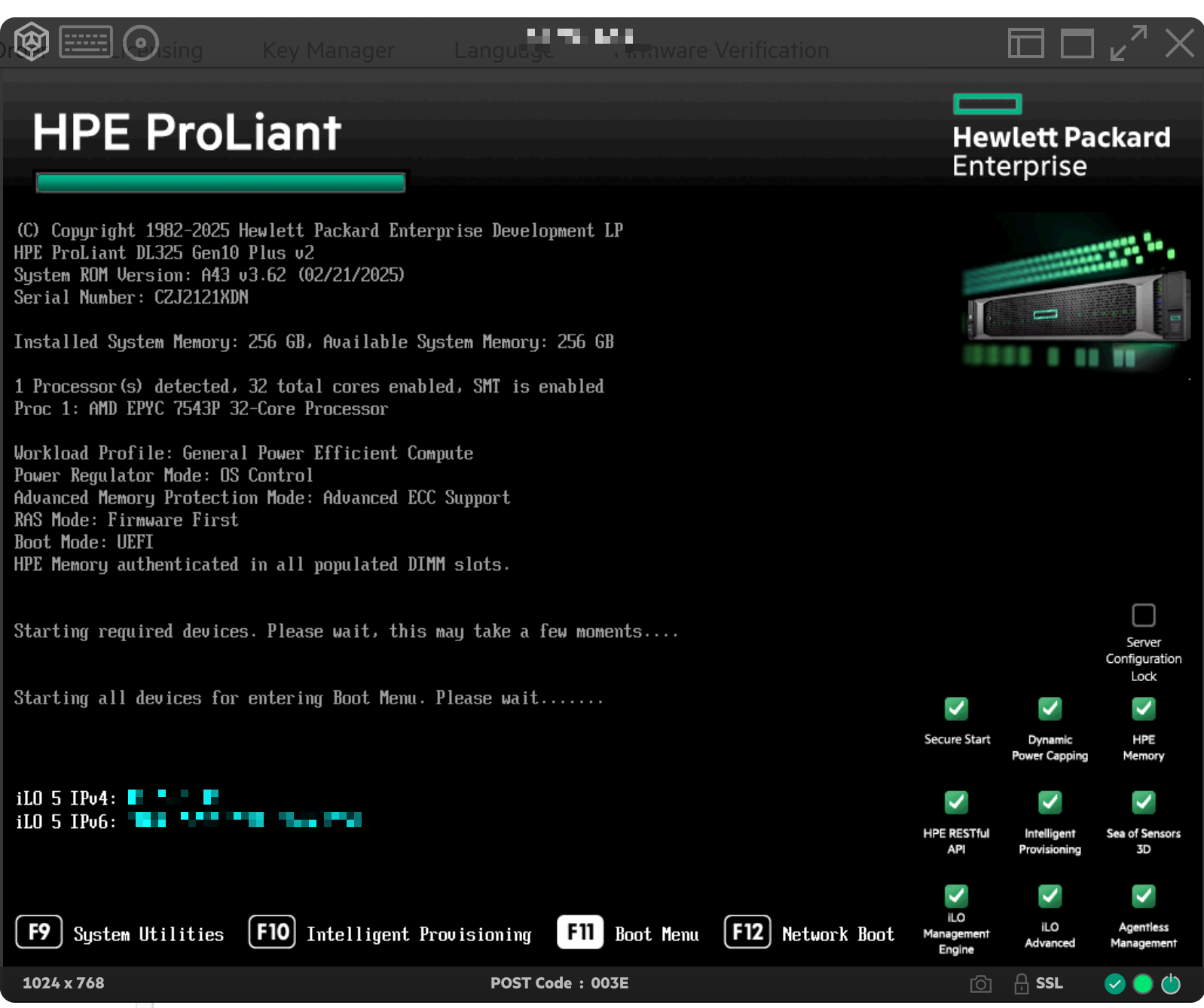
- Watch the console during reboot and press F11 repeatedly when prompted to enter the Boot Menu.
- Select Run a UEFI application from a file system as the boot option.
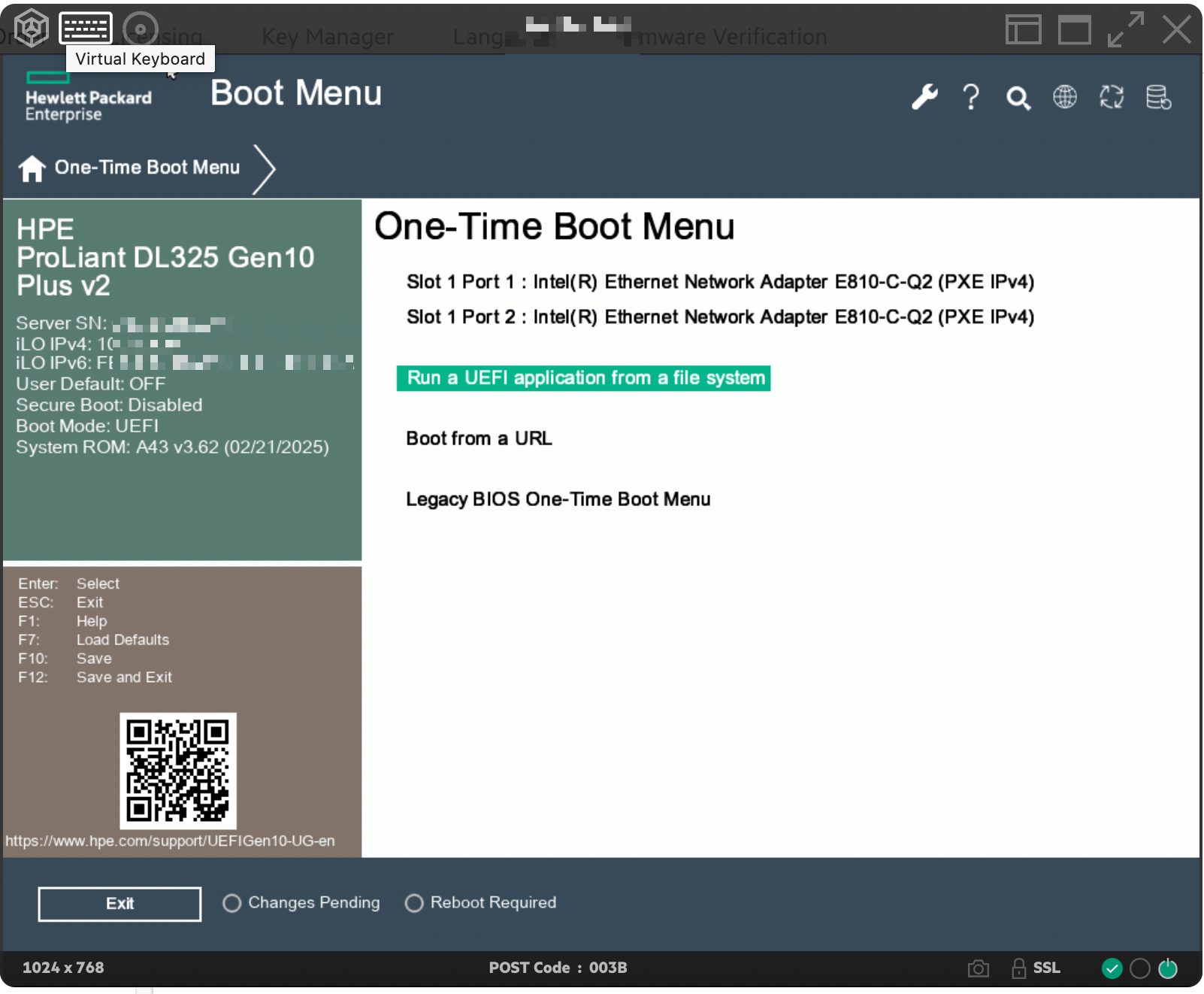
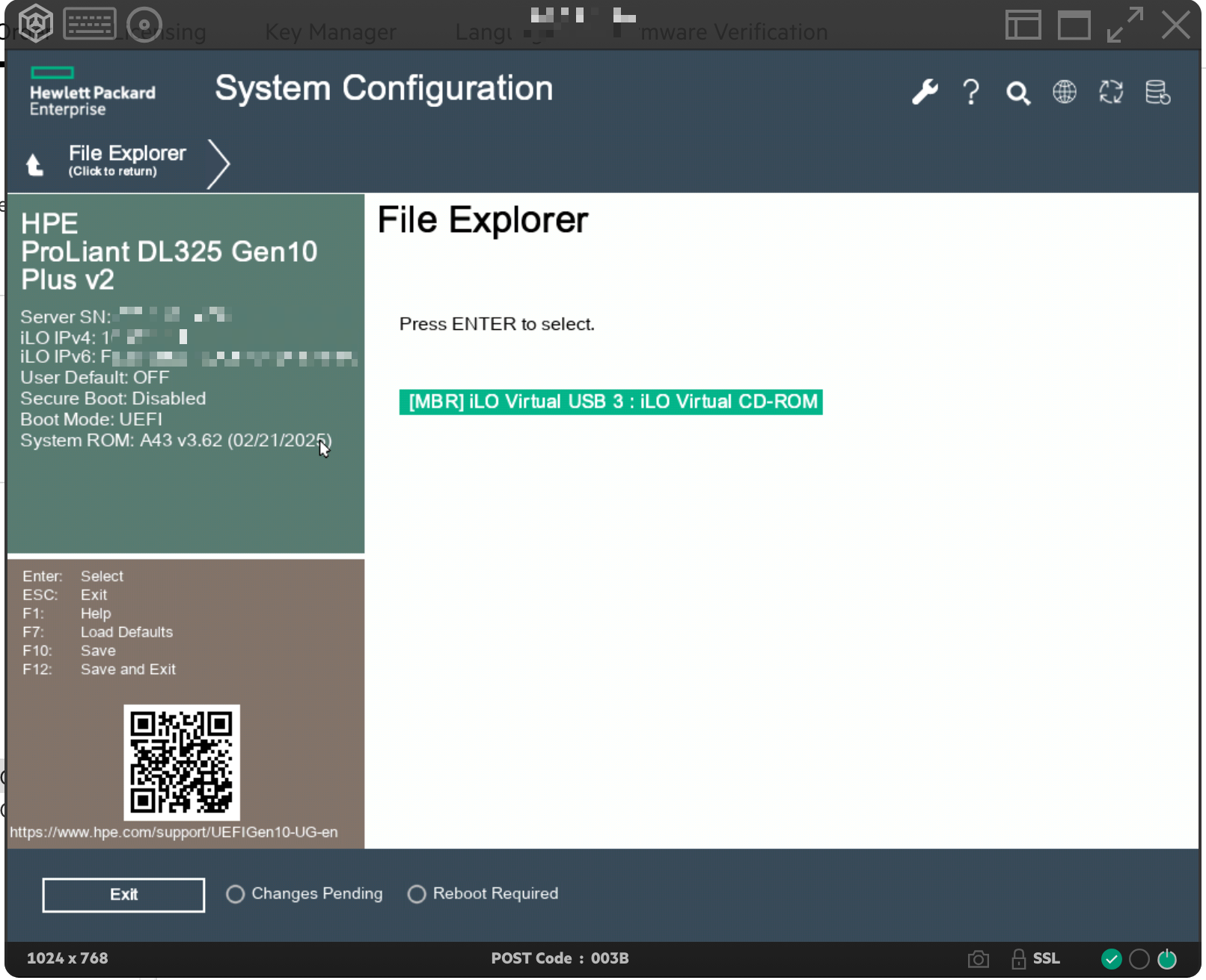
- Select [MBR] iLO Virtual USB 3 : iLO Virtual CD-ROM.
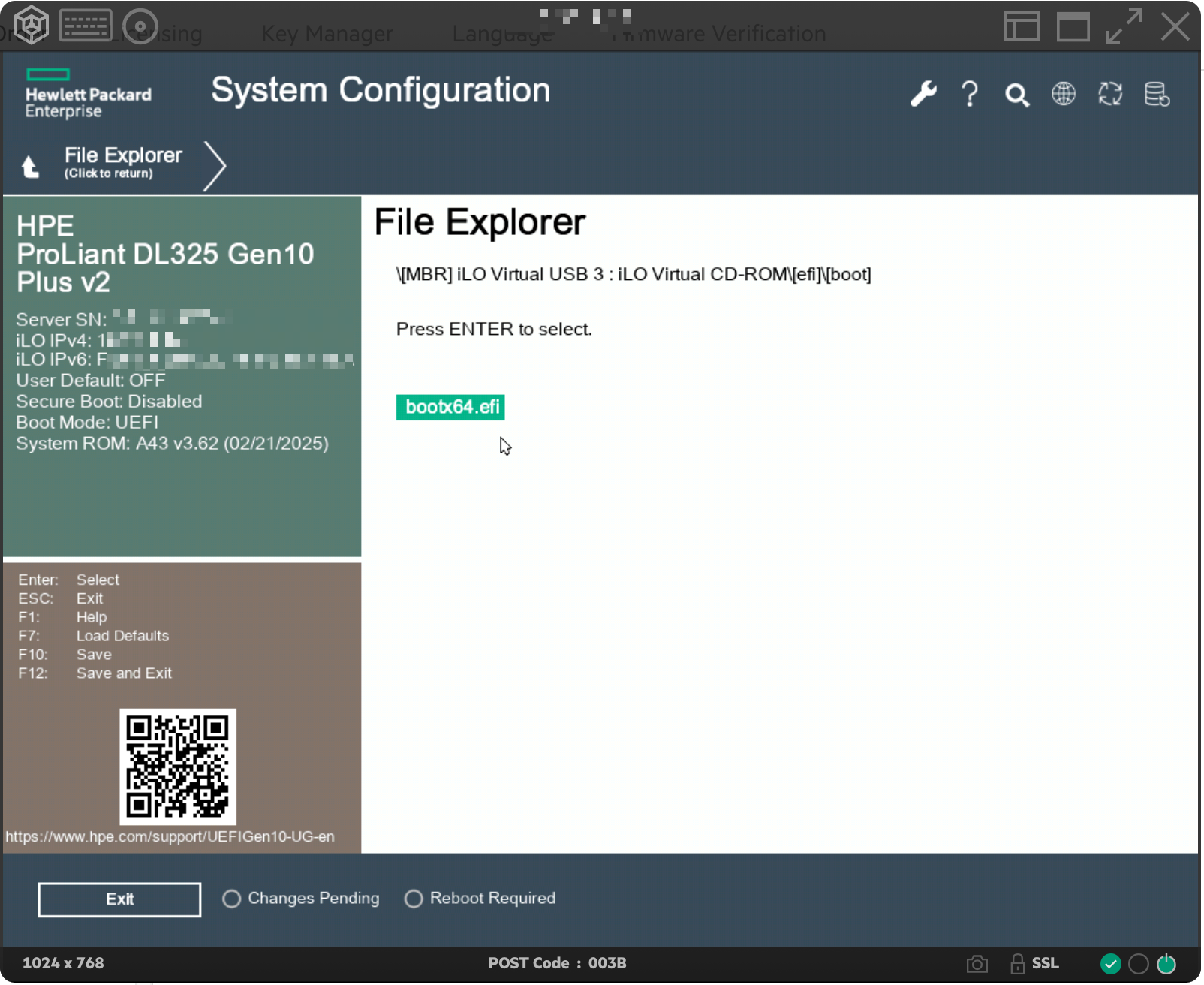
- Select the image to boot (e.g. bootx64.efi) and press Enter to select.
- Exit the boot menu by clicking Exit or by pressing F12.
The server boots into installation mode. Follow the wizard of your operating system to complete the installation.
See Also
Still need help?Create a support ticket