How to unlock an internal domain
Domain names are locked by default to avoid any unsolicited outgoing transfer. If you want to transfer your domain to another registrar, you can unlock it from the Scaleway console.
Before you start
To complete the following actions, you must have:
- A Scaleway account logged into the console (External link)
- Owner status or IAM permissions allowing you to perform actions in the intended Organization
- An internal domain registered with Scaleway Domains and DNS
How to unlock a domain name
- Click Domains and DNS in the Domains & Web Hosting section of the Scaleway console (External link) side menu.
- Click the domain you want to unlock. The domain's Overview tab displays.
- Click Unlock under Transfer in the Domain Information section. A confirmation pop-up displays.
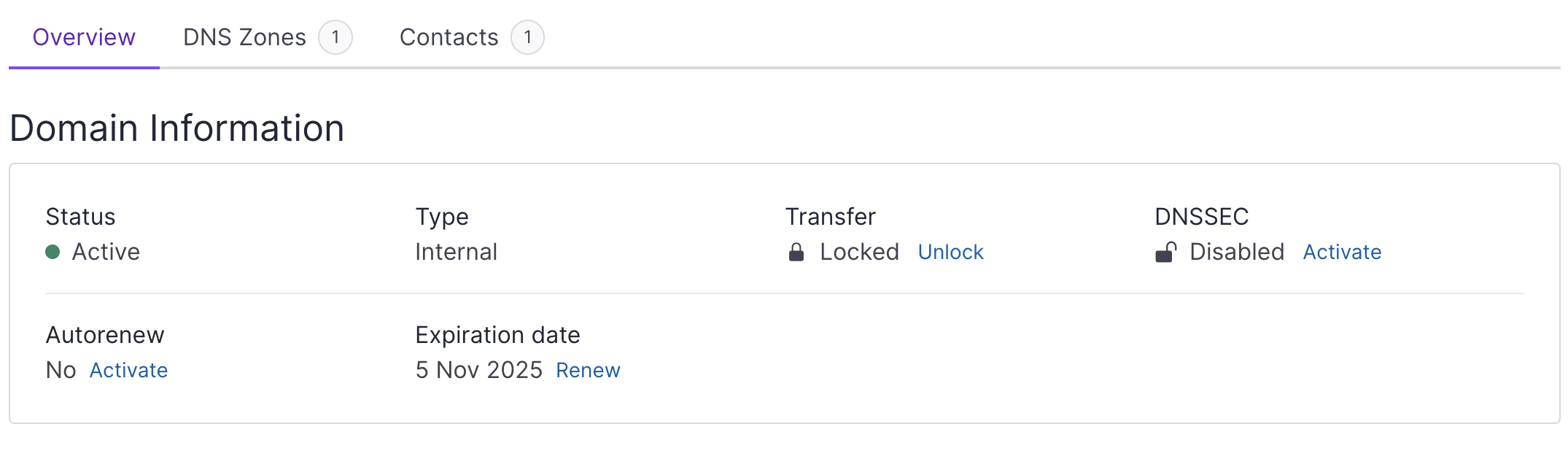
- Click Unlock to confirm. The operation might take a few minutes to complete. Once your domain is unlocked, you can copy its transfer authorization code.
- Click the Copy icon under Transfer in the Domain Information section. Your transfer authorization code is copied in your clipboard. Make sure that you give it to the registrar you want to transfer your domain to.
See Also
Still need help?Create a support ticket