Understanding Scaleway Instances Lifecycle
Scaleway continuously refreshes its hardware to keep performance, security, and sustainability at their best. When an Instance type (for example, an older generation) reaches the end of its planned lifespan, it moves through a defined lifecycle that governs how the service is introduced, supported, and eventually retired.
Each stage—ranging from Private Beta and Public Beta to General Availability, followed by a series of "end-of…" phases—has a specific visibility level and set of guarantees (e.g., SLA coverage, feature updates). Understanding this roadmap lets you anticipate when a generation will stop accepting new orders, when feature development will cease, and when you must migrate to a newer generation before the service is fully retired.
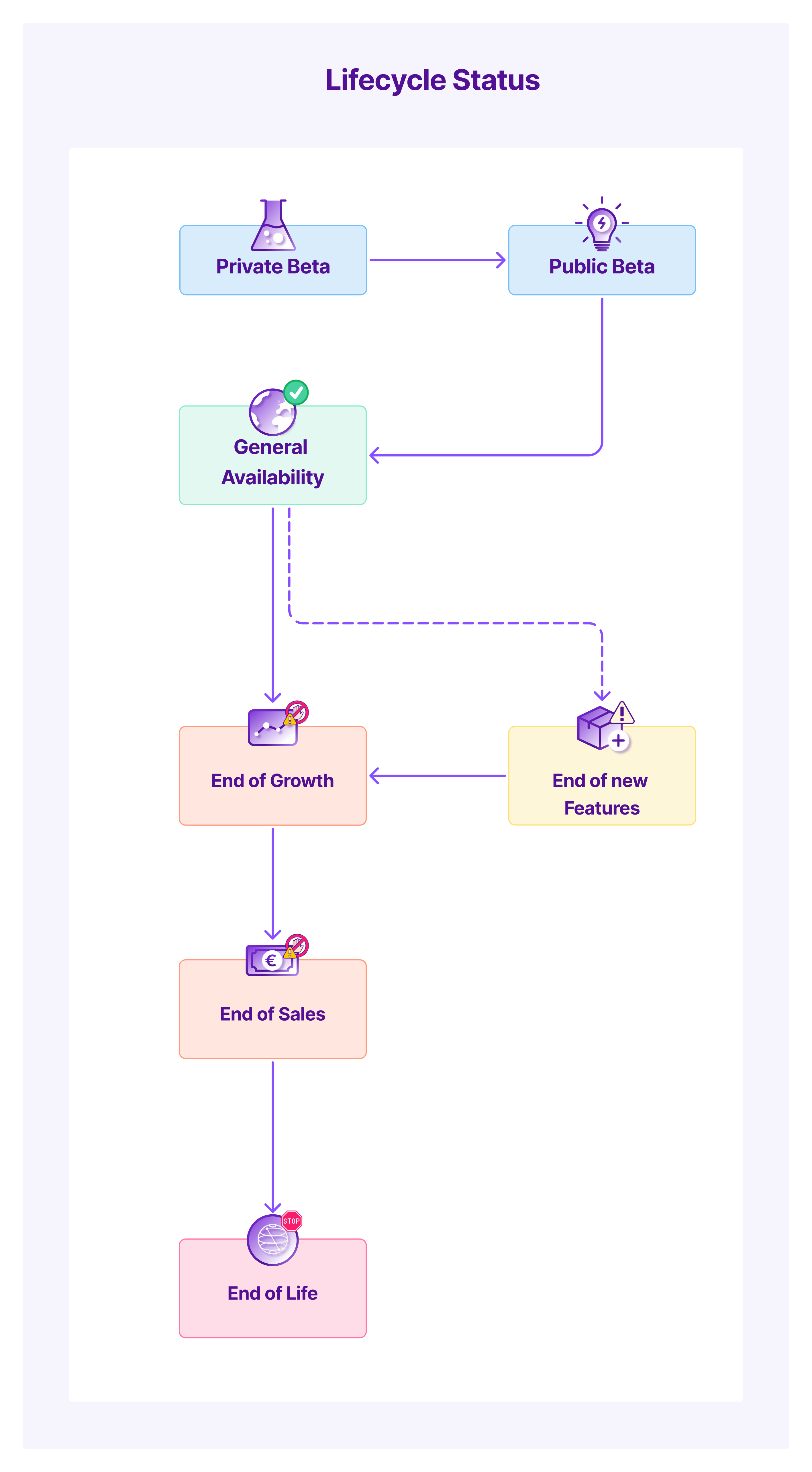
The table below summarizes the key lifecycle states, their visibility, and what you can expect at each point.
Key states
| State | Description | |
|---|---|---|
| Private Beta | Early version for a limited group of selected customers. Purpose: test, validate, and provide feedback. Access granted by the product team. No SLA. | |
| Public Beta | Open testing for all customers. Final features may be incomplete. Intended for test environments. Last step before General Availability (GA). No SLA. | |
 | General Availability (GA) | Fully launched and supported. Covered by the standard SLA. |
 | End of New Features | No new features are developed. The offer only receives critical security patches and bugfixes. |
 | End of Growth | The Instance type can no longer be ordered by new customers. Existing customers can still create new Instances. |
| End of Sales | The Instance type can no longer be ordered by any customer. Existing Instances continue to run normally. |
 | End of Life (EOL) | The service is retired. Any existing Instances are automatically shut down and migrated to equivalent offers for ensured continuity. |