VPC Peering - Quickstart
Scaleway VPC Peering is a networking service that enables two Scaleway VPCs to establish a private peering connection. You can then securely route traffic between them, away from the public internet.
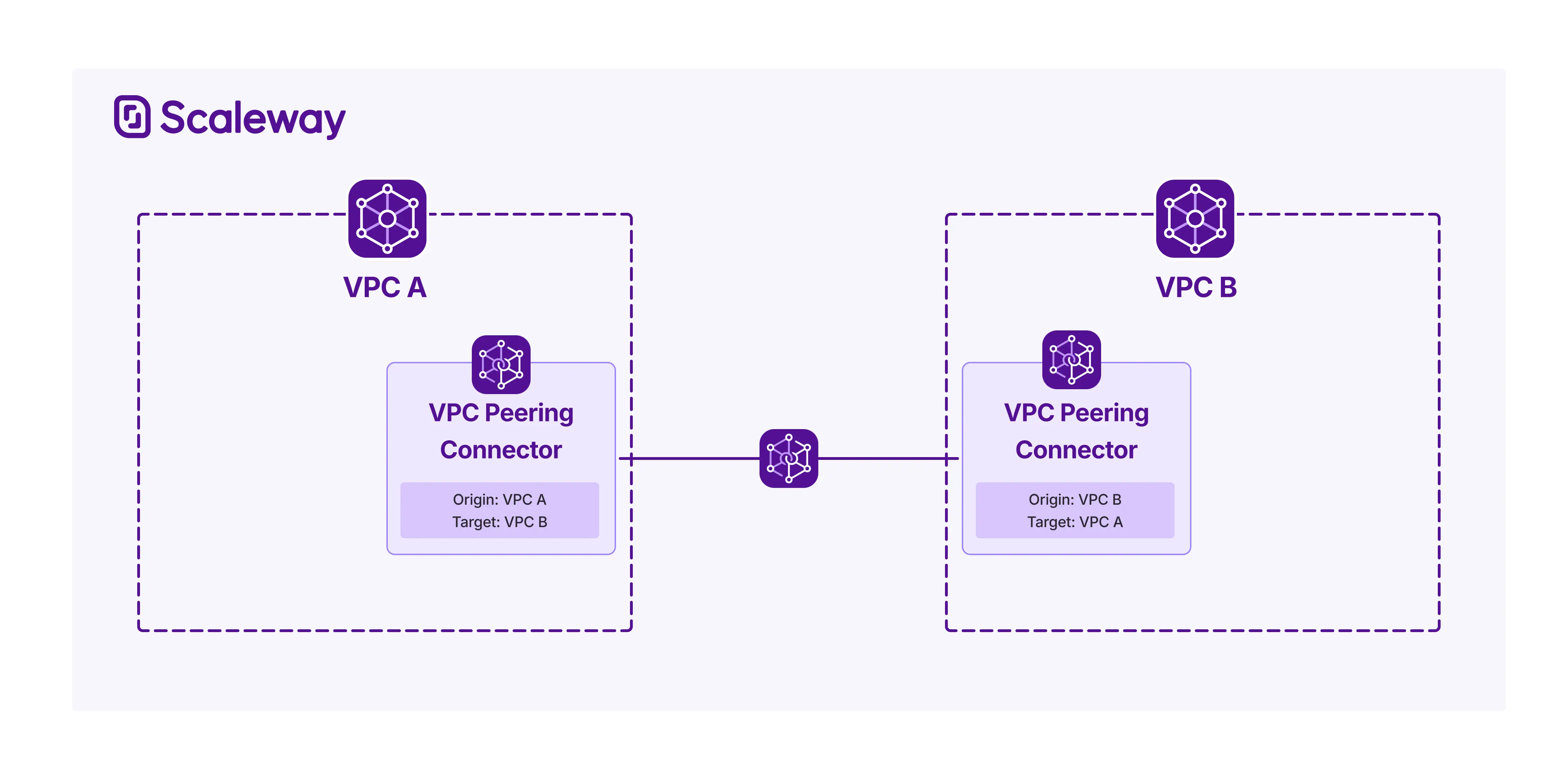
For full details about VPC Peering, refer to Understanding VPC Peering.
Before you start
To complete the actions presented below, you must have:
- A Scaleway account logged into the console
- A VPC over which you have appropriate IAM permissions
- The unique VPC ID of the VPC you want to peer with
- Activated routing on both VPC peers
-
Create a peering connector, defining your VPC as origin, and the VPC you want to peer with as target.
The peering connector will be in
Orphanstatus, until the next step is carried out. -
An owner or manager of the target VPC must create a matching peering connector on their end, defining their VPC as origin and your VPC as target.
-
Scaleway detects that two matching peering connectors have been created, and automatically carries out a compatibility check. This entails verifying that the Private Networks of the two VPCs do not contain any overlapping CIDR blocks.
- If the two VPCs are compatible, both connectors go into
Peeredstatus, and the peering connection is created. - If the two VPCs have overlapping CIDR blocks, both connectors go into
Conflictstate. They cannot be peered until you resolve the conflict.
- If the two VPCs are compatible, both connectors go into
-
Create custom routes in the route table of each peered VPC, to establish rules for routing traffic for the IP ranges you specify, across the peering connection.
-
When you no longer need your VPC peering connection, you and an owner of the matching connector can delete your connectors.