How to delete a Public Gateway
This page shows you how to delete a Public Gateway.
Before you start
To complete the actions presented below, you must have:
- A Scaleway account logged into the console (External link)
- Owner status or IAM permissions allowing you to perform actions in the intended Organization
- Created a Public Gateway
- Click Public Gateways in the Network section of the Scaleway console (External link) side menu. A listing of your Public Gateways displays.
- Use the region selector at the top of the page to filter for the region of the Public Gateway you want to delete.
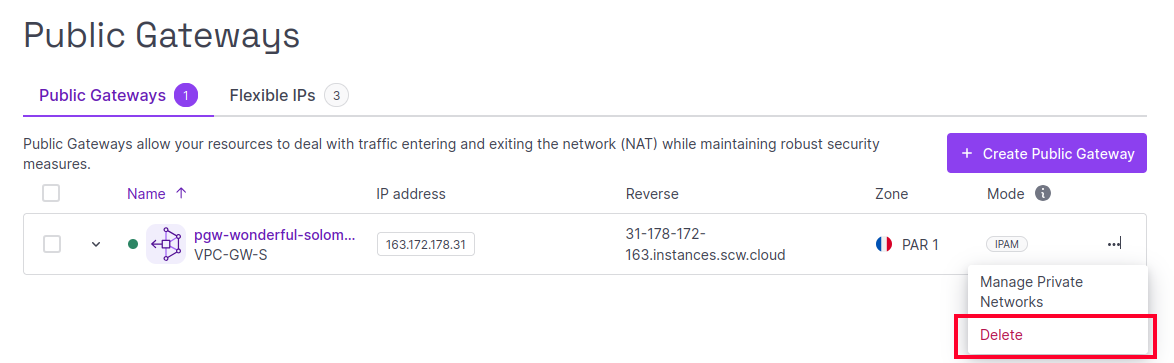
- Click more icon next to the Public Gateway you wish to delete, and select Delete from the drop-down menu.
- Confirm the action when prompted by typing DELETE in the pop-up window, then click Delete Public Gateway.
See Also
Still need help?Create a support ticket