Establishing a Site-to-Site VPN between Scaleway and AWS
This tutorial explains how to establish a dynamic Site-to-Site (S2S) VPN between Scaleway and AWS using the Scaleway Managed VPN Gateway.
The configuration uses:
- IPsec over IKEv2
- BGP for dynamic routing
- Route propagation between both environments
Before you start
To complete the actions presented below, you must have:
- A Scaleway account with permissions to manage VPC and VPN resources
- An AWS account with permissions to manage VPC and VPN resources
- A VPC configured in both Scaleway and AWS
- Administrative access to configure both environments
Architecture overview
The connection is established between:
- A Scaleway Managed VPN Gateway
- An AWS Virtual Private Gateway
- A BGP session over an IPsec tunnel
Routes are dynamically exchanged between:
- Scaleway Private Network CIDR (example:
172.16.64.0/22) - AWS VPC CIDR (example:
172.31.0.0/16)
Creating the Scaleway VPN Gateway
- Create or select a VPC in the Scaleway console.
- Create a Private Network within the VPC.
- Deploy a Managed VPN Gateway attached to that Private Network.
- Note the following information:
- The public IPv4 address of the Scaleway VPN Gateway (e.g.,
163.172.175.212). - The Scaleway ASN:
12876.
- The public IPv4 address of the Scaleway VPN Gateway (e.g.,

Configuring AWS
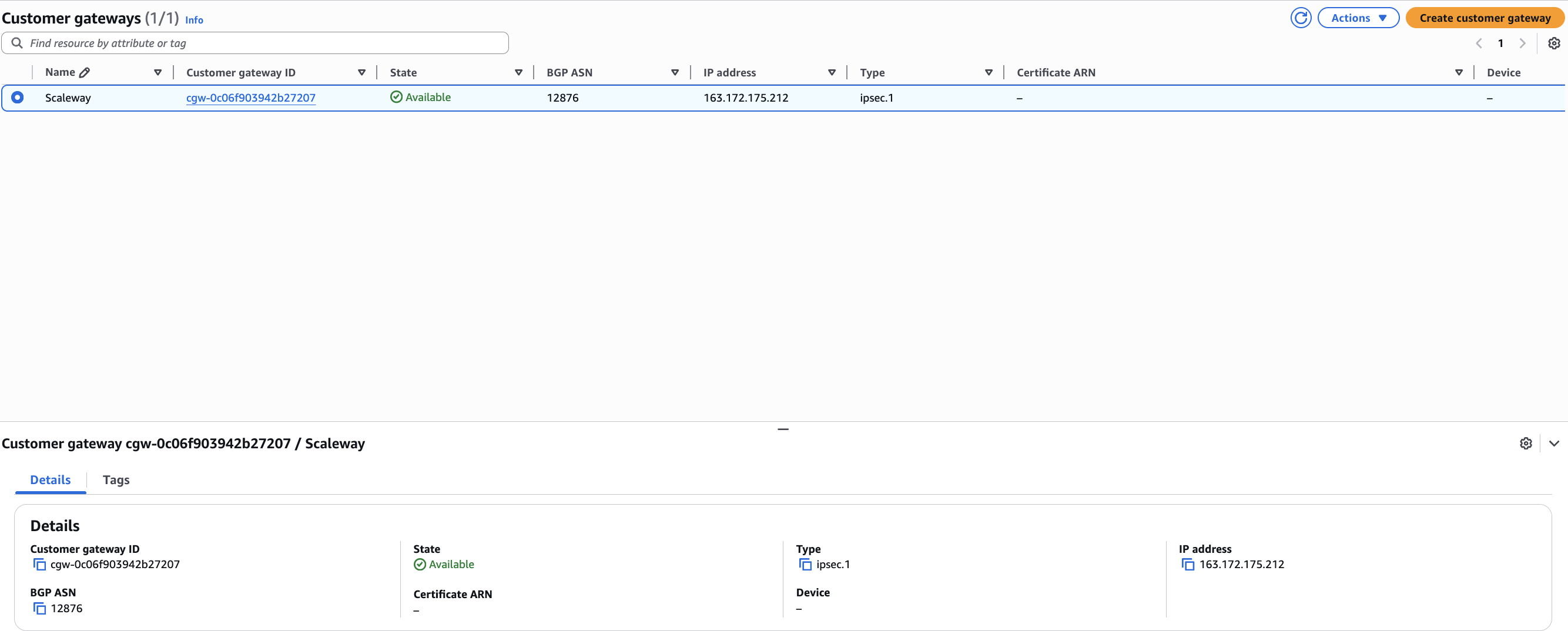
Create the AWS Customer Gateway
- Create a Customer Gateway in the AWS console.
- Configure the following parameters:
- Type: IPsec.
- IP address: The public IP of your Scaleway VPN Gateway.
- BGP ASN:
12876.
Create the AWS Virtual Private Gateway
-
Create a Virtual Private Gateway and attach it to your AWS VPC.
-
Configure an ASN (e.g.,
65000).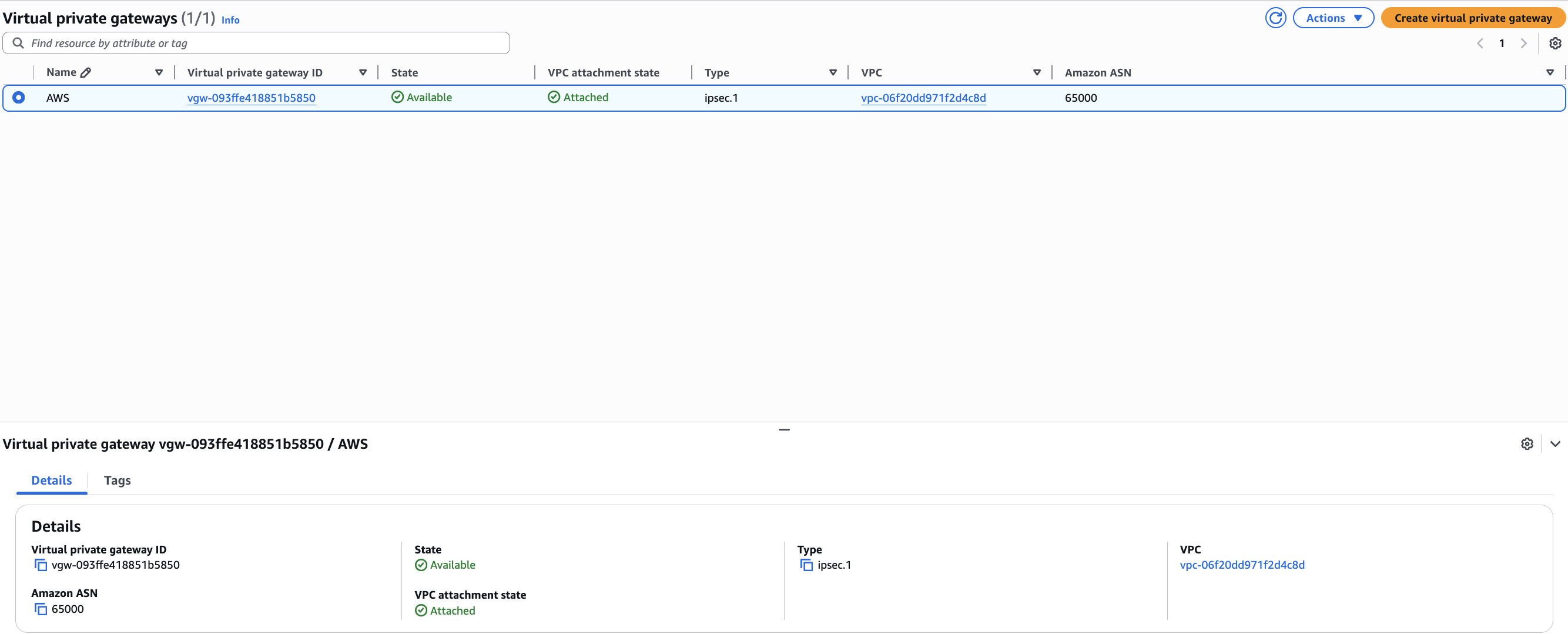
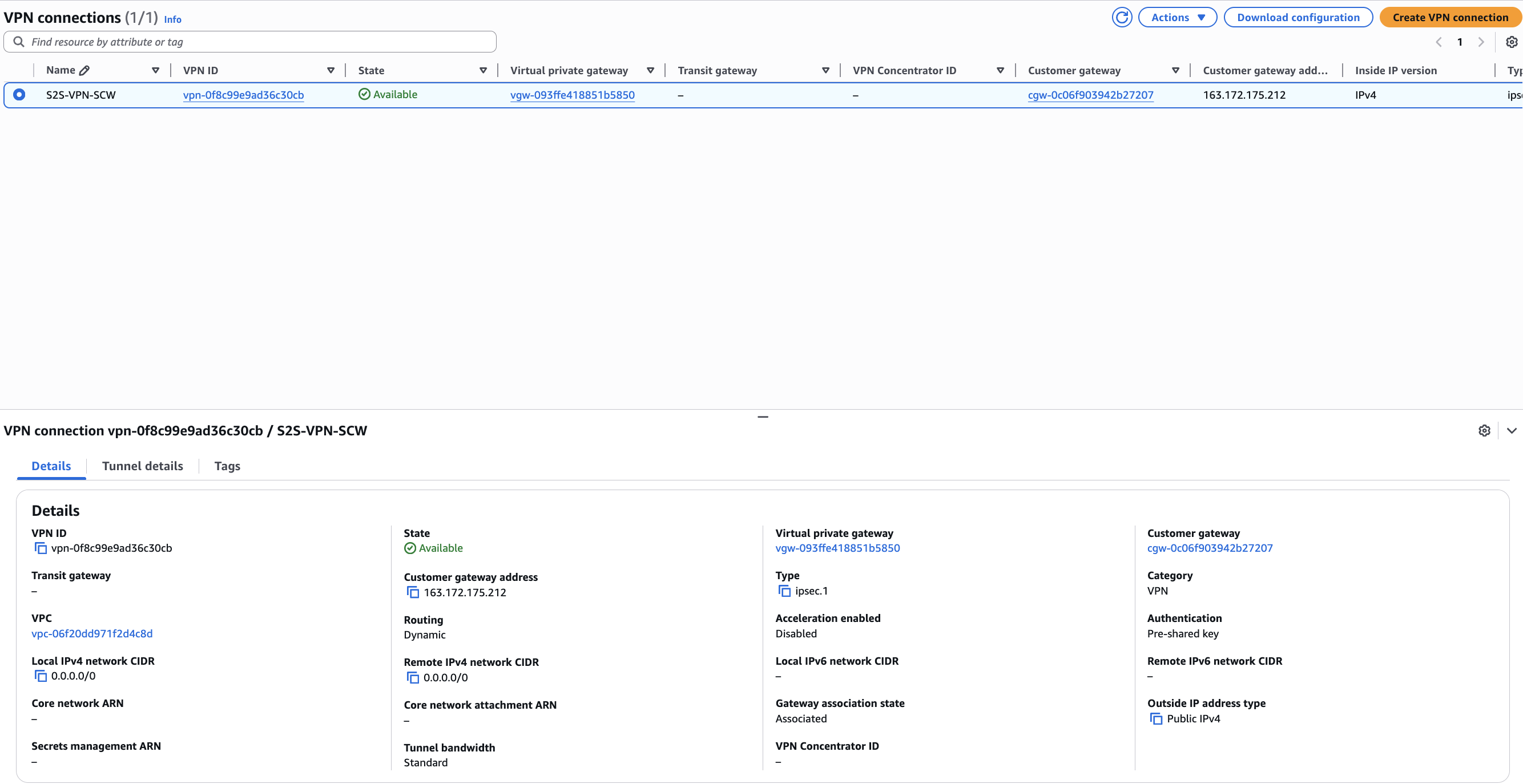
Create the AWS VPN connection
-
Create a new VPN Connection using the following settings:
- Routing Priority: Dynamic (requires BGP).
- Virtual Private Gateway: Select the gateway created above.
- Customer Gateway: Select the gateway created in the previous step.
-
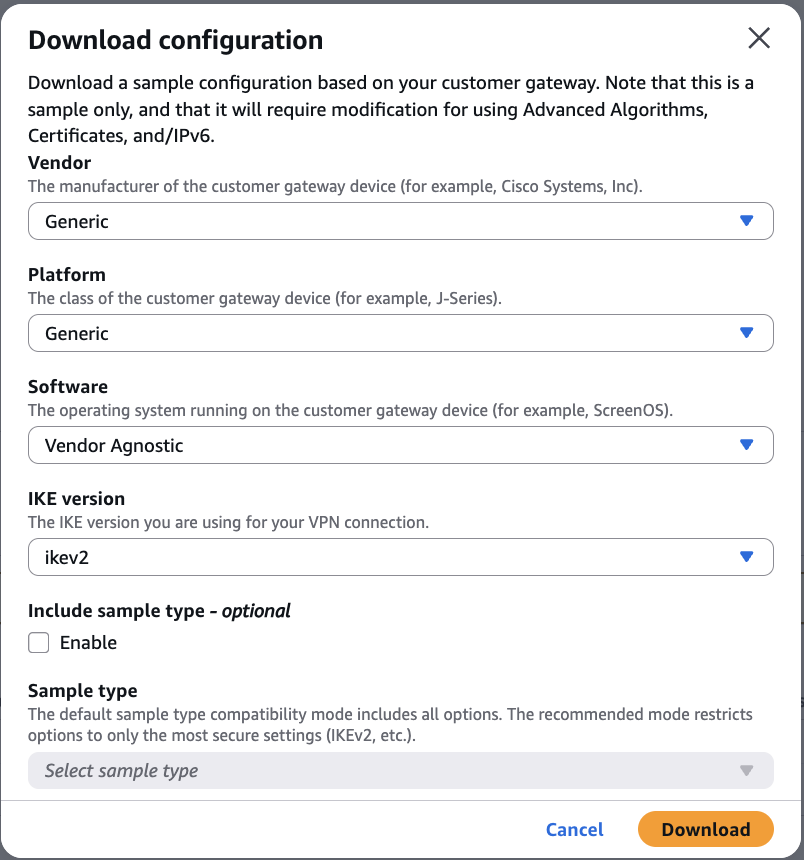
After the connection is created, collect the following details:
- Tunnel public IP (e.g.,
13.37.176.32). - BGP peer private IP (e.g.,
169.254.162.101). - Download the Generic configuration file for reference.
- Tunnel public IP (e.g.,
Creating the Scaleway Customer Gateway
In the Scaleway console, create a Customer Gateway using:
- Public IP: The AWS tunnel public IP.
- ASN: The ASN defined on the AWS Virtual Private Gateway (e.g.,
65000).

Configuring BGP routing policy
Define a routing policy in Scaleway to control traffic:
- Prefix filter in: Enter your AWS VPC CIDR.
- Prefix filter out: Enter your Scaleway Private Network CIDR.
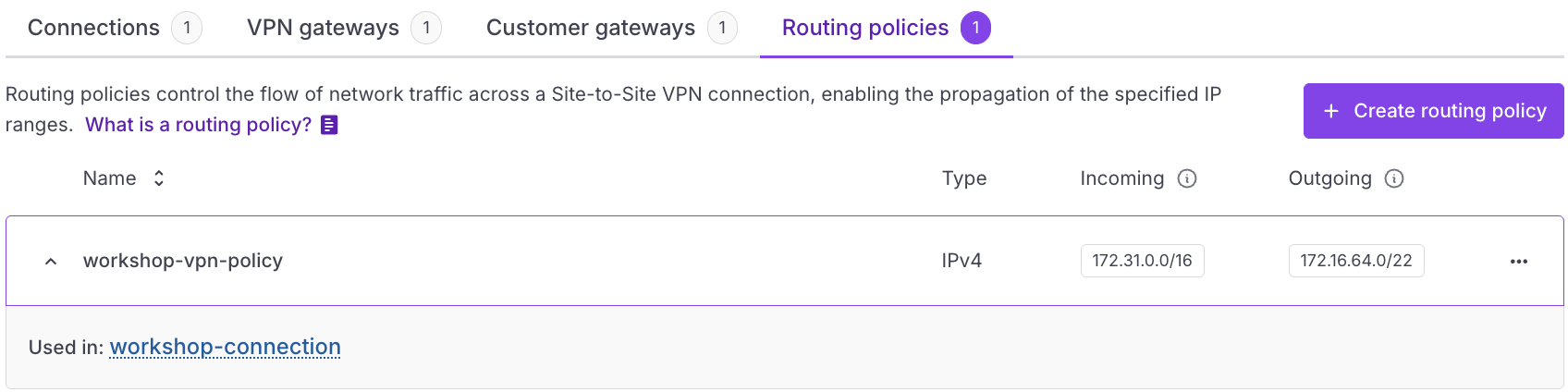
This ensures that only authorized routes are exchanged.
Configuring the VPN connection in Scaleway
-
Attach the Scaleway VPN Gateway.
-
Attach the AWS Customer Gateway.
-
Enable Route propagation.
-
Select the Routing policy created in the previous step.

-
Configure the BGP settings:
- Provide a private IP within the AWS inside CIDR range.
- Provide the AWS BGP peer private IP.
Retrieving and configuring the pre-shared key (PSK)
Scaleway automatically generates a PSK and stores it in Secret Manager when the VPN connection is created.
List the generated VPN secret
Use the Scaleway CLI to find your secret:
scw secret secret list region=fr-par -o json | jq .Access and decode the PSK
-
Retrieve the Base64-encoded secret value using the
idfrom the previous step:scw secret version access <SECRET_ID> revision=latest region=fr-par -
Decode the value to obtain your cleartext PSK:
echo '<BASE64_PSK>' | base64 -d
Update the pre-shared key
Access your VPN Tunnel settings in the AWS Console and update the pre-shared key with the decoded value.

Aligning IPsec parameters
Both environments must use identical IPsec settings for the tunnel to establish.
| Parameter | Value |
|---|---|
| IKE Version | IKEv2 |
| Phase 1 Encryption | AES-256 |
| Phase 1 Integrity | SHA2-256 |
| Phase 1 DH Group | 14 (MODP2048) |
| Phase 2 Encryption | AES-256 |
| Phase 2 Integrity | SHA2-256 |
| Phase 2 DH Group | 14 |
| Startup Action (AWS) | Start |
Verifying the connection
On AWS
In the Tunnel Details tab, verify the following statuses:
State: upBGP: Established
On Scaleway
In the VPN connection dashboard, verify the following statuses:
TunnelStatus: upBgpStatusIPv4: up
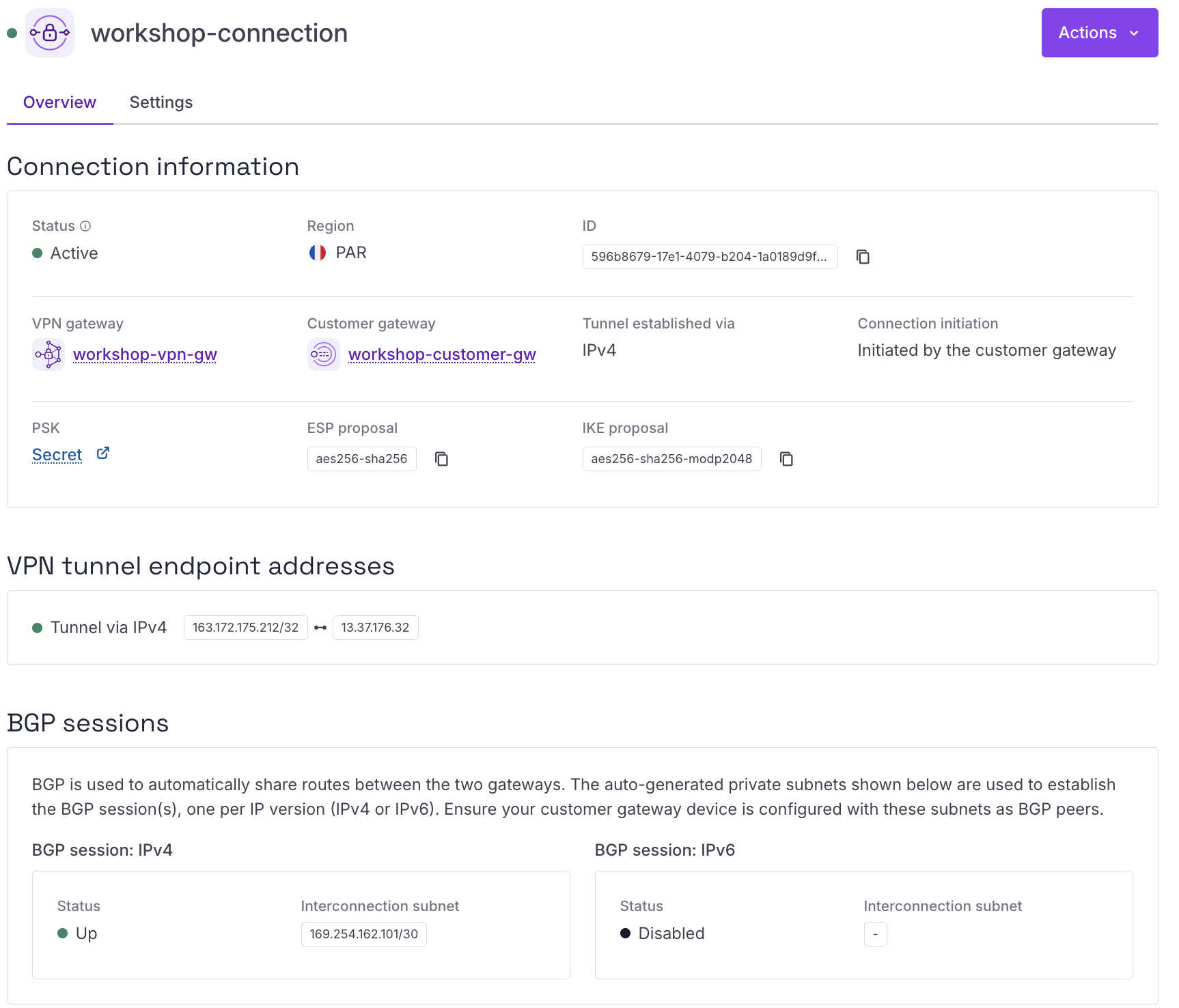
Result
You have successfully established a dynamic Site-to-Site VPN between Scaleway and AWS using:
- Managed VPN Gateway
- BGP route exchange
- Secure IPsec encryption
- Dynamic route propagation between VPCs
Your VPCs can now communicate securely using BGP for automated route management.
Visit our Help Center and find the answers to your most frequent questions.
Visit Help Center