How to delete a Private Network
Before you start
To complete the actions presented below, you must have:
- A Scaleway account logged into the console
- Owner status or IAM permissions allowing you to perform actions in the intended Organization
- Created a Private Network
- Detached all resources and released all reserved IP addresses from the Private Network you want to delete
How to delete a Private Network
-
Click VPC in the Network section of the Scaleway console side menu. A listing of your VPCs displays.
-
Use the region selector at the top of the page to filter for the region of the VPC containing the Private Network you want to delete, then click the VPC in the listing. A listing of Private Networks in the VPC displays.
-
Click the more icon icon next to the Private Network you want to delete, then click Delete on the pop-up menu.
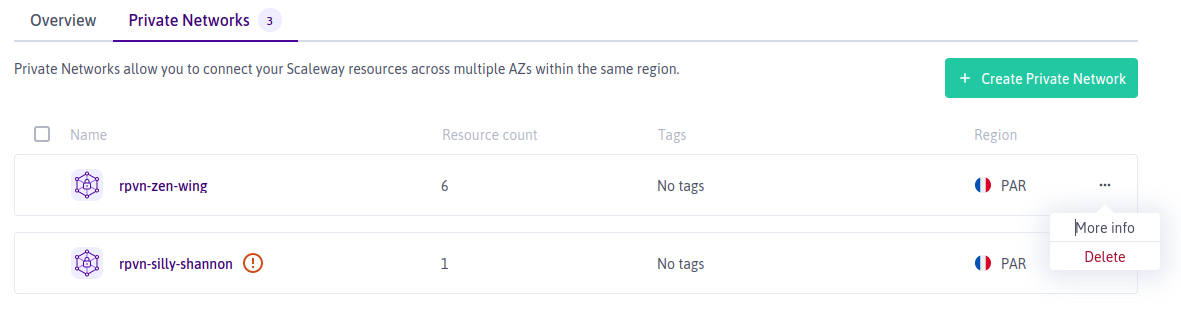
A screen displays asking you to confirm that you want to delete the network, and that you have detached all resources from it.
-
Type DELETE and click Delete Private Network.
Your Private Network is deleted.
See Also
Still need help?Create a support ticket